Moodle
The Challenge:
Transform 10 Australian paper-based, face-to-face delivery of VET qualification training at RTO campuses in 3 cities to blended online delivery.
The Solution:
To deliver a solution that worked for the RTO, I worked closely with stakeholders to determine the needs, constraints, budget and timeline. I created a Charter and Work Breakdown Structure for sponsors’ approval. In brief, the process I followed:
- Worked with stakeholders to determine LMS requirements.
- Developed a rubric against which to measure potential LMSs.
- Analysed 25 LMSs against the selection rubric.
- Trailed and selected the LMS – Moodle.
- Worked with managers and trainers to identify course requirements and designed a course template to ensure consistency across units and qualifications. The course template addressed key usability and adult learning theories, including:
- Simple navigation that was clearly signposted.
- User-choice in accessing course resources.
- Media-rich resources including a variety of readings, visuals and videos.
- Chunked content organized hierarchically.
- Icons to support navigation and recognition of resource and activity types.
- Visual elements such as timetables to complement text.
- Identified external tools to make online courses visually interesting and engaging. I found I needed to go outside of Moodle. Using plugins and external tools, such as H5P, Generico, Genially and Padlet, meant that I could add more dynamic visual elements into the units to capture students’ attention.
- Identified required units and learning objectives.
- Selected online resources for each unit.
- Redesigned assessments for online submission.
- Built online units and qualification overviews.
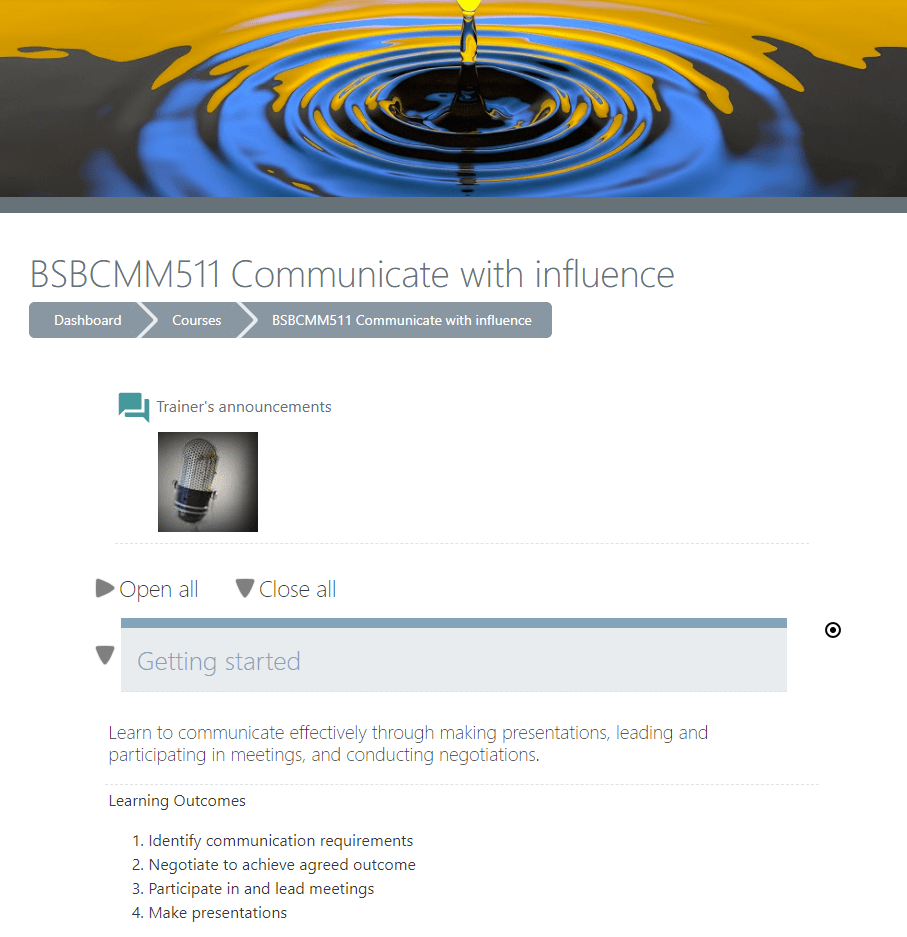
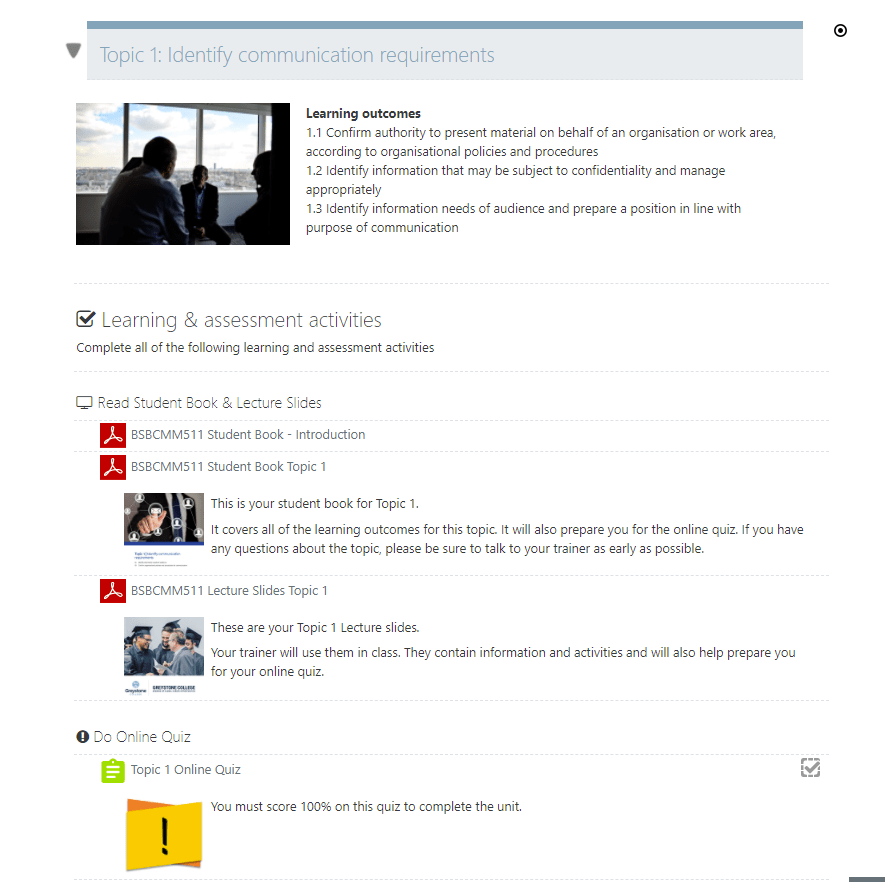
While the steps above seem linear, the process was iterative, requiring consultation with stakeholders at each step. To ensure the site navigation and layout were intuitive, I ran focus groups with students and trainers to learn more about how they navigate units, their preferences and wish-lists. The “Sample Course- BSBCMM511” illustrates the contents and layout.
Focus groups revealed 2 required support courses to assist users to adapt to the new online environment:
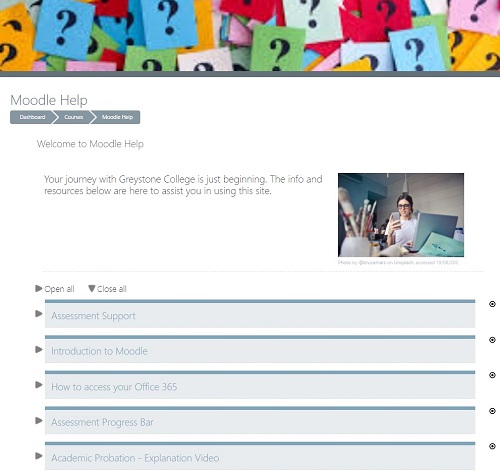
- Student Help course with 15 short 1-minute videos on how to use each of the features in Moodle – see “Moodle Help” example.
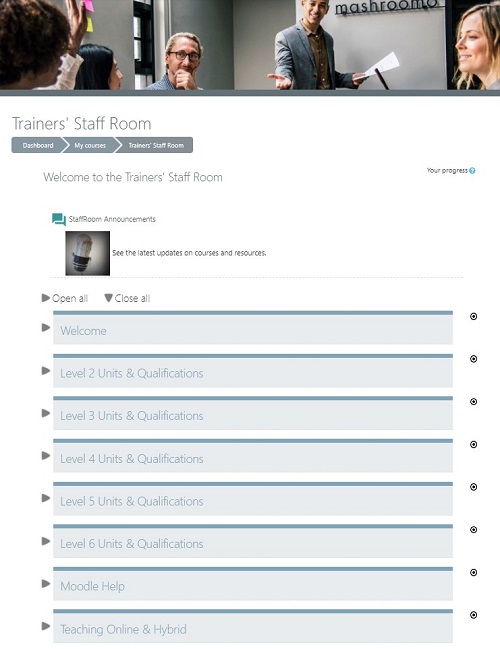
- Trainer Staff Room in which trainers could access all training resources. By housing the Staff Room within the LMS, we could simplify the number of platforms required for trainers to access curse resources – see “Staff Room” example.
The Tools:
- Moodle One Topic and Tab course formats
- Moodle themes
- Basic HTML and CSS


 Jennifer Williamson