Curriculum & Project Sites
The Challenge:
Create a central repository, “Curriculum Hub,” to make all curriculum, design processes, updates and community information sharing available from a single repository. To achieve this, I needed to:
- Unify and align curriculum documents spread across multiple servers and personal file drives.
- Update curriculum documentation for accreditation.
- Record and inventory all curriculum assets.
- Plan the site architecture and layout to distribute curriculum documents and information updates.
- Design and implement an additional site section to collaborate on projects with learning designers in different time zones.
The Solution:
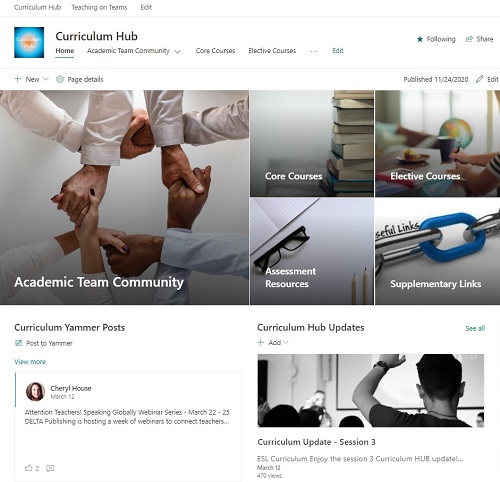
The college implemented Office 365 across all locations. Therefore, I used SharePoint – see “Sample SharePoint Site” – to create a central hub for teachers and academic managers to:
- Access the most up-to-date versions of course resources.
- Find academic team members and contact information.
- Collaborate on learning design projects.
- Follow learning design project updates.
- Attend and re-watch professional development sessions.
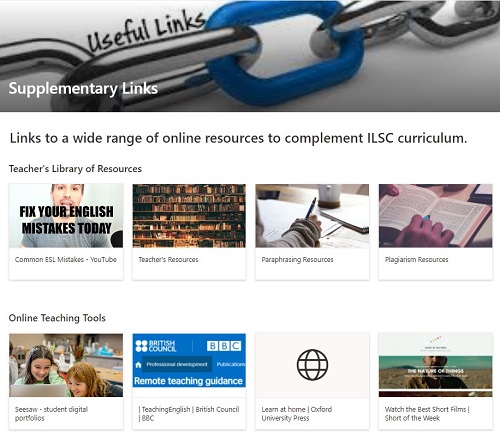
- Contribute to a social links sharing resource.
Additionally, I created a Project SharePoint site to collaborate on learning design projects with the learning design team. This allows all documents to be centrally located for team collaboration during the design process.
The Tools:
- SharePoint
- Yammer add-on
- Basic HTML
 Jennifer Williamson